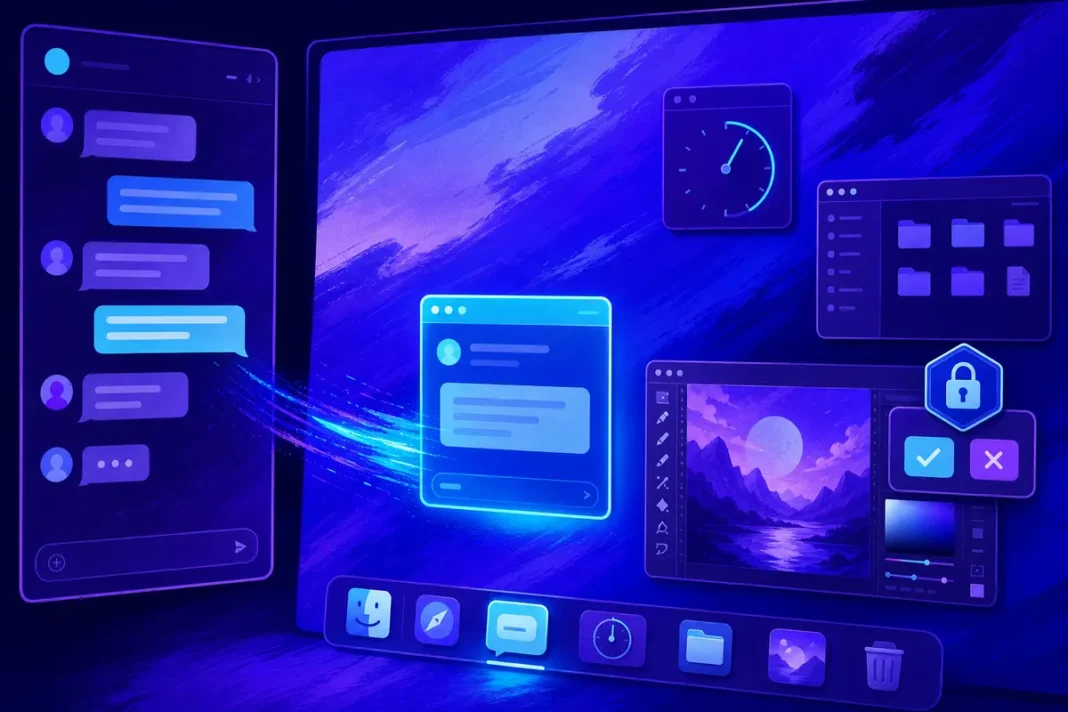
Ask an AI to create a small tailor-made tool, then install it like real software on your computer: this is what Anthropic has been offering since the November 24, 2026. The function Install as app allows you to transform a artifactthese mini-applications that Claude generates in conversation, as a standalone desktop application for macOS and Windows. It is available in beta version on all plans, including free. With a reservation that the publisher himself displays: these applications are not controlled by anyone before installation.
What exactly is an artifact?
When Claude is asked to create a timer, a unit converter or a small dashboard, the assistant doesn’t just describe the result: he writes the code and displays the functional tool in a panel, alongside the conversation. This is what Anthropic calls a artifact.
Until now, this tool remained a prisoner of the Claude application. To use it, you had to reopen the conversation in question, find it in the history, then wait for it to load. The novelty gives it an existence of its own: its own window, its own iconand launch like any software.
Anthropic gives an example of instructions for creating one: request a Pomodoro method timer that lives in the menu bar. The principle is to describe the desired tool in everyday language, then install it with one click.
The procedure, described by Anthropic, consists of four steps.
| Stage | Action |
|---|---|
| 1 | Open the artifact in the main window of the Claude desktop application |
| 2 | Open the artifact title menu, or right-click on it |
| 3 | Choose “Install as app” (also accessible from the Share menu) |
| 4 | Confirm with “Install” |
On macOSthe application appears in a “Claude Apps” folder, inside the Applications folder in your personal folder, and can be found via Spotlight. On Windowsit installs in the Start menu and can create a shortcut on the desktop. Uninstallation is done from Claude, via the File menu then Apps: on Mac, the application goes to the trash, on Windows its shortcuts are deleted. Applications with an icon in the menu bar continue to run after their window is closed, and must be explicitly exited.
Two technical conditions: have the Claude application for Mac or Windows in version 6.28899.0 or higherand have an Internet connection. The application does not work offline and requires you to be connected to your Claude account.
The sore point: authorizations
This is where you need to be careful. These applications operate according to three access levels.
By default, an installed application can’t do anything more than a web page opened in a browser. A second level gives access to system functions: notifications, keyboard shortcuts, display above other windows, icon in the menu bar or notification area.
The third level is the broadest: thefull computer access. It allows the application to run programs and read, modify or delete files without asking each time. Anthropic generally reserves it for applications that you have created yourself, or, in business, for those created by members of your organization. A warning is displayed when the author is from outside or cannot be identified.
The three access levels of an installed application
What remains limited
- By default, nothing more than a web page in a browser
- Notifications and keyboard shortcuts with explicit permission
- Icon in the menu bar or notification area, upon agreement
- Authorizations revocable at any time from the application
What full access allows
- Run programs on your computer
- Read, edit or delete files without asking every time
- No pre-verification of applications by Anthropic
- Modifications already made remain after withdrawal of access
The sentence that should get attention is in the documentation: only grant this access if you trust everyone who wrote the application, because Anthropic does not monitor these applications before installation. The publisher also specifies that if an application loads code from another site, this code can change without new authorization request. Permissions can be revoked at any time, from the application menu or from Claude, but disabling full access does not undo changes already made to the machine.
Another useful detail: after each update of the artifact, including a modification that you yourself requested, authorization is requested again. A constraint that may seem heavy, but which prevents an application from discreetly acquiring new powers over versions.
What is not concerned
Not all artifacts can become applications. Excluded are those created from models (documents, presentations and spreadsheets generated by Claude), old artifacts and so-called “living” artifacts from Cowork mode. The function does not exist on Linuxneither on mobile, nor in the web version.
On the business side, the rules differ. On Team plans, the function is active by default, but full access to the computer remains blocked until an administrator authorizes it. On Enterprise plans, everything is deactivated until a manager activates it in the organization settings, section dedicated to artifacts. Organizations subject to the U.S. Health Compliance Configuration (HIPAA) and hybrid deployments are excluded.
What can this be used for in practice?
Anthropic cites five demo applications that it has built itself: an image editor, a file manager, a folder organizer, a terminal, a performance monitoring tool housed in the menu bar. The idea is to create the small utility that is missing in a few minutes, without looking for existing software or knowing how to program. For many office uses, converting a batch of files, following a personal budget, displaying an indicator permanently, the need is too specific to justify commercial software and too simple to order development.
This logic extends that of Skills, these tailor-made instruction files launched in 2025: bringing AI closer to daily tasks rather than confining it to conversation. It also joins a general movement of AI agents towards the execution of real actions on machines.
Be careful, especially with shared applications
These applications can be shared: one person creates a tool, another installs it. In business, it is the promise of a small internal software installed in a day rather than in a quarter. This is convenient, and this is precisely where the risk is concentrated. An application installed with full access can act on your files, and no prior review is carried out by the publisher, unlike what is done in application stores.
The common sense rule is similar to that which applies to browser extensions or downloaded software: only install what you understand the origin of, and refuse full access by default. A timer doesn’t need to read your documents, and a unit converter even less so. The sector has already experienced incidents of the same nature, such as this trapped Claude Code extension which installed a backdoor among developers. The ability to create software in one sentence makes these tools accessible to everyone, including those without good intentions.
Frequently asked questions
What is Claude’s Install as app feature?
Launched on November 24, 2026 by Anthropic, it allows you to transform an artifact, that is to say a mini-application created by Claude in the conversation, into software installed on the computer. The application gets its own window and icon, on macOS and Windows, and launches like any other program.
Do you have to pay to install an artifact as an application?
No. Anthropic indicates that the function is deployed in beta on all plans, including the free version, as well as Pro, Max, Ultra, Team and Enterprise. However, you need the Claude application for Mac or Windows in version 6.28899.0 or higher. The requests sent to Claude by the application are deducted from the usage quota.
Are these apps a security risk?
They may have one if you grant full access to the computer, which allows running programs and modifying files. Anthropic specifies that it does not control these applications before their installation and recommends granting this access only to applications for which all the authors are known. By default, they remain limited to the possibilities of a web page.
Is the feature available on Linux or mobile?
No. It only works in Claude desktop apps for macOS and Windows. Linux, mobile versions and web version are not supported. Certain artifacts are also excluded: those from document templates, presentations or spreadsheets, old artifacts and living artifacts from Cowork mode.
Sources
References consulted for the writing of this article. The addresses are provided for information purposes only and are not links.
- Anthropic, Install as app, November 24, 2026claude.com/resources/articles/install-as-app
- Anthropic, help article: install an artifact as an applicationsupport.claude.com/en/articles/18516354-install-an-artifact-as-an-app
- The Next Web, Claude can now turn its artifacts into Mac and Windows desktop appsthenextweb.com/news/claude-install-as-app-artifacts-mac-windows-desktop
- IT-Connect, Claude’s artifacts can be installed as applications on Windows and Macwww.it-connect.tech/claude-artifacts-can-now-be-installed-as-apps-on-windows-and-mac
Report an error or inaccuracy in this article