In brief
• What the tablet replaces well: office automation, emails, navigation, video, notes, retouching, light to intermediate editing.
• What brings it closer to a computer: Samsung DeX (desktop interface), Pro Keyboard with touchpad, three-split screen.
• Its advantages over a computer: pen writing, autonomy, finesse, IP68 certification.
• Its limits: specific Windows or macOS software, advanced file and device management.
Can you replace a laptop with a tablet on a daily basis?
For personal or student use, yes, you can replace your laptop with a tablet in most cases. The first thing to check is the list of essential Android applications such as office suites, Notion, Photoshop, messaging and videoconferencing tools. In this case, the tablet can act as a laptop most of the time.
|
Use |
Android tablet (Galaxy Tab S12 Ultra + keyboard) |
laptop |
|
Office automation, emails, navigation |
Yes, with DeX and keyboard |
Yes |
|
Videoconferencing |
Yes, 12MP ultra-wide-angle front camera |
Yes |
|
Taking handwritten notes |
Yes, S Pen provided |
Depending on model (touch screen and stylus required) |
|
Photo editing |
Yes, Photoshop preinstalled |
Yes |
|
Video editing |
Yes for light to intermediate projects (LumaFusion) |
Yes, including heavy projects |
|
Specific software (Windows, macOS) |
Subject to availability on Android |
Depending on the computer’s operating system |
|
Autonomy |
Up to 11 p.m. video playback |
Varies depending on model |
|
Weight |
692 g in Wi-Fi version (without keyboard) |
Varies depending on model |
A typical day with the Galaxy Tab S12 Ultra in computer mode
To judge concretely, here is how the tablet fits into a busy day, from morning to evening.
• In the morning, on the go: tablet alone, in hand. We check our emails and annotate a PDF document with the S Pen. With 692 g in the Wi-Fi and 5.1 mm version, it fits in a bag like a magazine.
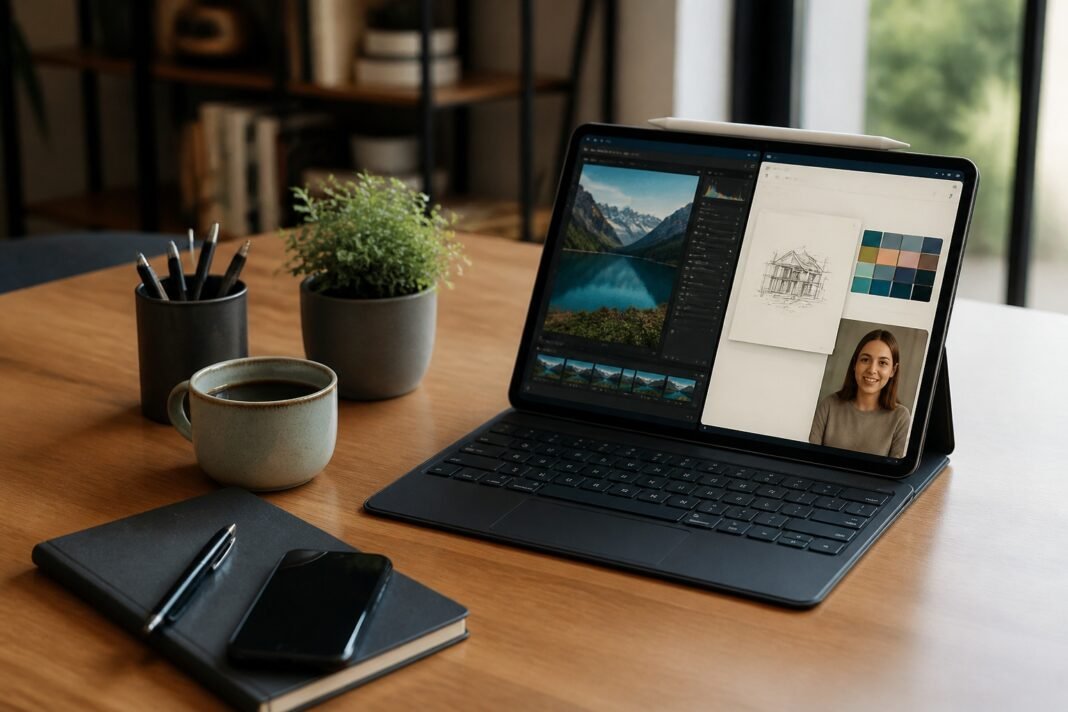
• Mid-morning, at home or at the café: Pro Keyboard plugged in, Samsung DeX enabled. The interface switches to desktop mode, with up to 4 workspaces. You write a document on one side, with a browser and email open next to it.
• In the afternoon, in class or by video: Multi-Window mode in three zones: videoconferencing, handwritten notes and AI assistant. Notes Assistant then summarizes the notes, starting from 200 characters.
• At the end of the day: editing a few photos in Photoshop, pre-installed, then streaming a movie on the 14.6-inch AMOLED screen, with 4-channel spatial audio.
It is on this type of split day that the tablet is most convincing: a single device, which switches from mobile mode to office mode.
What makes the Galaxy Tab S12 Ultra similar to a computer?
Three elements that bring the Galaxy Tab S12 Ultra of a computer: screen, power and office mode.
|
Element |
Galaxy Tab S12 Ultra |
What it changes |
|
Screen |
14.6 inches, 2960 x 1848 px, 120 Hz, 1600 nits |
Multiple windows readable side by side, like on a 14-inch laptop |
|
Chip |
MediaTek Dimensity 9500, 3nm; CPU +19%, GPU +17%, NPU up to +61% vs Tab S11 Ultra |
Smooth multitasking, responsive AI features |
|
Memory |
Up to 16GB RAM and 1TB, microSD up to 2TB |
Room for heavy files |
|
Cooling |
3D steam chamber |
Stable performance over time |
|
Office mode |
Samsung DeX, up to 4 workspaces |
Computer-like interface and windows |
|
Keyboard |
Pro Keyboard (touchpad, Galaxy AI key) or Book Cover Keyboard Slim, sold separately |
Typing and pointing like a laptop |
The Galaxy AI key on the Pro Keyboard gives direct access to an assistant and with Alt, you choose between Bixby, Gemini and Perplexity.
What are the advantages of a tablet compared to a laptop?
Facing a laptop, a tablet like the Galaxy Tab S12 Ultra has four advantages: manual writing, mobility, autonomy and resistance. The S Pen included with the Galaxy Tab S12 Ultra allows you to write, sign, annotate and draw directly on the screen. The tablet weighs 692 g in the Wi-Fi version and is 5.1 mm thick without keyboard. This is the thinnest Galaxy Tab ever made by Samsung.
Battery life extends up to 23 hours of video playback with an 11,600 mAh battery and 0-100% recharge in 95 minutes. The tablet and S Pen are IP68 certified for protection against water and dust.
What are the limits of a tablet compared to a computer?
If one of the essential applications only exists on Windows or macOS and does not run on Android, the computer is required. Advanced management of files or multiple devices is also much easier on a computer. And let’s not forget that the keyboard is sold separately. It must therefore be included in the budget, just like the 45 W charging block which is not included in the box.
So before taking the plunge and taking out your bank card, the good reflex is to check if these essential applications are available on the Galaxy Store or the Google Play Store.
Galaxy Tab S12 Ultra or S12+ to replace a computer?
To replace a computer, the Galaxy Tab S12 Ultra is the most suitable thanks to its 14.6-inch AMOLED screen which is close to that of a laptop which is around 14 inches. There Galaxy Tab S12+ is most useful to users who keep a computer for common tasks and want a lightweight tablet to handle the rest.
|
Criteria |
Galaxy Tab S12 Ultra |
Galaxy Tab S12+ |
|
Screen |
14.6 inches |
12.6 inches |
|
Weight (Wi-Fi) / thickness |
692g / 5.1mm |
553g / 5.3mm |
|
Autonomy announced |
Until 11 p.m. |
Until 9 p.m. |
|
max RAM/storage |
16 GB / 1 TB |
12 GB / 512 GB |
|
DeX |
Yes |
Yes |
|
Recommended role |
Laptop replacement |
Nomadic complement to a computer |
The configurations available in France are detailed on the Galaxy Tab S12 Ultra review.
FAQs
Can Galaxy Tab S12 replace a laptop with Samsung DeX?
Yes, the Galaxy Tab S12 can replace a laptop with Samsung DeX for office, browsing, video conferencing and creating. Samsung DeX transforms the tablet interface into a desktop with up to four workspaces. If you add a keyboard like the Pro Keyboard, the experience becomes closer to a computer. On the other hand, the applications absent from Android remain a limitation to take into account.
Which keyboard to choose for the Galaxy Tab S12 Ultra?
The keyboard to choose for Galaxy Tab S12 Ultra is the Pro Keyboard with aluminum finish, touchpad and Galaxy AI key that launches the assistant with a single press. There is also the Book Cover Keyboard Slim which is lighter and offers several viewing angles. Both are sold separately.
Is the S Pen included with the Galaxy Tab S12?
Yes, the Galaxy Tab S12 Ultra And Galaxy Tab S12+ come with the IP68 certified S Pen.
Does the Galaxy Tab S12 include a charger in the box?
No, the box Galaxy Tab S12 does not include charger. Inside, we find the tablet, the S Pen stylus and a USB-C to USB-C cable. The 45W adapter for fast charging must therefore be purchased separately.
How long will the Galaxy Tab S12 Ultra be updated?
Samsung announces up to seven generations of operating system and security updates for Galaxy Tab S12 Ultra And Galaxy Tab S12+.
In brief
• What the tablet replaces well: office automation, emails, navigation, video, notes, retouching, light to intermediate editing.
• What brings it closer to a computer: Samsung DeX (desktop interface), Pro Keyboard with touchpad, three-split screen.
• Its advantages over a computer: pen writing, autonomy, finesse, IP68 certification.
• Its limits: specific Windows or macOS software, advanced file and device management.
Can you replace a laptop with a tablet on a daily basis?
For personal or student use, yes, you can replace your laptop with a tablet in most cases. The first thing to check is the list of essential Android applications such as office suites, Notion, Photoshop, messaging and videoconferencing tools. In this case, the tablet can act as a laptop most of the time.
|
Use |
Android tablet (Galaxy Tab S12 Ultra + keyboard) |
laptop |
|
Office automation, emails, navigation |
Yes, with DeX and keyboard |
Yes |
|
Videoconferencing |
Yes, 12MP ultra-wide-angle front camera |
Yes |
|
Taking handwritten notes |
Yes, S Pen provided |
Depending on model (touch screen and stylus required) |
|
Photo editing |
Yes, Photoshop preinstalled |
Yes |
|
Video editing |
Yes for light to intermediate projects (LumaFusion) |
Yes, including heavy projects |
|
Specific software (Windows, macOS) |
Subject to availability on Android |
Depending on the computer’s operating system |
|
Autonomy |
Up to 11 p.m. video playback |
Varies depending on model |
|
Weight |
692 g in Wi-Fi version (without keyboard) |
Varies depending on model |
A typical day with the Galaxy Tab S12 Ultra in computer mode
To judge concretely, here is how the tablet fits into a busy day, from morning to evening.
• In the morning, on the go: tablet alone, in hand. We check our emails and annotate a PDF document with the S Pen. With 692 g in the Wi-Fi and 5.1 mm version, it fits in a bag like a magazine.
• Mid-morning, at home or at the café: Pro Keyboard plugged in, Samsung DeX enabled. The interface switches to desktop mode, with up to 4 workspaces. You write a document on one side, with a browser and email open next to it.
• In the afternoon, in class or by video: Multi-Window mode in three zones: videoconferencing, handwritten notes and AI assistant. Notes Assistant then summarizes the notes, starting from 200 characters.
• At the end of the day: editing a few photos in Photoshop, pre-installed, then streaming a movie on the 14.6-inch AMOLED screen, with 4-channel spatial audio.
It is on this type of split day that the tablet is most convincing: a single device, which switches from mobile mode to office mode.
What makes the Galaxy Tab S12 Ultra similar to a computer?
Three elements that bring the Galaxy Tab S12 Ultra of a computer: screen, power and desktop mode.
|
Element |
Galaxy Tab S12 Ultra |
What it changes |
|
Screen |
14.6 inches, 2960 x 1848 px, 120 Hz, 1600 nits |
Multiple windows readable side by side, like on a 14-inch laptop |
|
Chip |
MediaTek Dimensity 9500, 3nm; CPU +19%, GPU +17%, NPU up to +61% vs Tab S11 Ultra |
Smooth multitasking, responsive AI features |
|
Memory |
Up to 16GB RAM and 1TB, microSD up to 2TB |
Room for large files |
|
Cooling |
3D steam chamber |
Stable performance over time |
|
Office mode |
Samsung DeX, up to 4 workspaces |
Computer-like interface and windows |
|
Keyboard |
Pro Keyboard (touchpad, Galaxy AI key) or Book Cover Keyboard Slim, sold separately |
Typing and pointing like a laptop |
The Galaxy AI key on the Pro Keyboard gives direct access to an assistant and with Alt, you choose between Bixby, Gemini and Perplexity.
What are the advantages of a tablet compared to a laptop?
Facing a laptop, a tablet like the Galaxy Tab S12 Ultra has four advantages: manual writing, mobility, autonomy and resistance. The S Pen included with the Galaxy Tab S12 Ultra allows you to write, sign, annotate and draw directly on the screen. The tablet weighs 692 g in the Wi-Fi version and is 5.1 mm thick without keyboard. This is the thinnest Galaxy Tab Samsung has ever made.
Battery life extends up to 23 hours of video playback with an 11,600 mAh battery and 0-100% recharge in 95 minutes. The tablet and S Pen are IP68 certified for protection against water and dust.
What are the limits of a tablet compared to a computer?
If one of the essential applications only exists on Windows or macOS and does not run on Android, the computer is required. Advanced management of files or multiple devices is also much easier on a computer. And let’s not forget that the keyboard is sold separately. It must therefore be included in the budget, just like the 45 W charging block which is not included in the box.
So before taking the plunge and taking out your bank card, the good reflex is to check if these essential applications are available on the Galaxy Store or the Google Play Store.
Galaxy Tab S12 Ultra or S12+ to replace a computer?
To replace a computer, the Galaxy Tab S12 Ultra is the most suitable thanks to its 14.6-inch AMOLED screen which is close to that of a laptop which is around 14 inches. There Galaxy Tab S12+ is most useful to users who keep a computer for common tasks and want a lightweight tablet to handle the rest.
|
Criteria |
Galaxy Tab S12 Ultra |
Galaxy Tab S12+ |
|
Screen |
14.6 inches |
12.6 inches |
|
Weight (Wi-Fi) / thickness |
692g / 5.1mm |
553g / 5.3mm |
|
Autonomy announced |
Until 11 p.m. |
Until 9 p.m. |
|
max RAM/storage |
16 GB / 1 TB |
12 GB / 512 GB |
|
DeX |
Yes |
Yes |
|
Recommended role |
Laptop replacement |
Nomadic complement to a computer |
The configurations available in France are detailed on the Galaxy Tab S12 Ultra review.
FAQs
Can Galaxy Tab S12 replace a laptop with Samsung DeX?
Yes, the Galaxy Tab S12 can replace a laptop with Samsung DeX for office, browsing, video conferencing and creating. Samsung DeX transforms the tablet interface into a desktop with up to four workspaces. If you add a keyboard like the Pro Keyboard, the experience becomes closer to a computer. On the other hand, the applications absent from Android remain a limitation to take into account.
Which keyboard to choose for the Galaxy Tab S12 Ultra?
The keyboard to choose for Galaxy Tab S12 Ultra is the Pro Keyboard with aluminum finish, touchpad and Galaxy AI key that launches the assistant with a single press. There is also the Book Cover Keyboard Slim which is lighter and offers several viewing angles. Both are sold separately.
Is the S Pen included with the Galaxy Tab S12?
Yes, the Galaxy Tab S12 Ultra And Galaxy Tab S12+ come with the IP68 certified S Pen.
Does the Galaxy Tab S12 include a charger in the box?
No, the box Galaxy Tab S12 does not include charger. Inside, we find the tablet, the S Pen stylus and a USB-C to USB-C cable. The 45W adapter for fast charging must therefore be purchased separately.
How long will the Galaxy Tab S12 Ultra be updated?
Samsung announces up to seven generations of operating system and security updates for Galaxy Tab S12 Ultra And Galaxy Tab S12+.
https://www.zdnet.fr/wp-content/uploads/zdnet/2026/11/une-tablette-android-peut-elle-vraiment-remplacer-un-ordinat.jpg https://www.zdnet.fr/informatique/une-tablette-android-peut-elle-vraiment-remplacer-un-entreprises-portable-return-dexperience-508284.htm?utm_source=rss_feed&utm_medium=link&utm_campaign=unknown