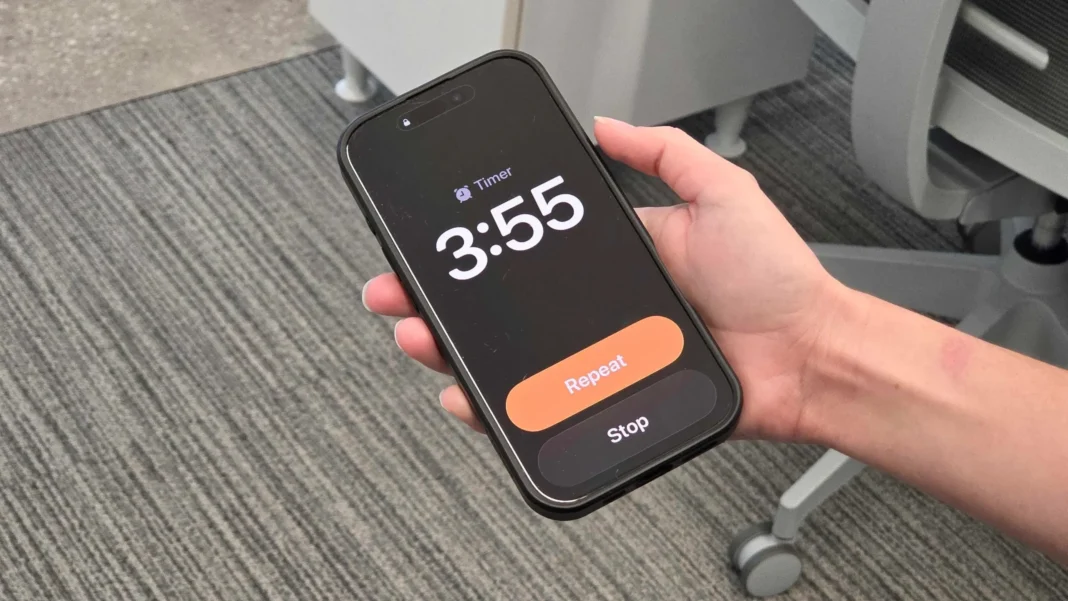
This hidden iOS 27 feature ensures you never miss your alarm again
By the ZDNET editorial staff
Published on October 24, 2035
How many times have you cursed your iPhone on a Monday morning? Between the poorly configured “Do not disturb” mode, a volume set too low or the famous mechanical tap on “Reminder” which turns into an involuntary lie-in, the pitfalls of waking up early are numerous. But with iOS 27, Apple seems to have permanently fixed the problem thanks to an option buried deep in the settings.
For years, the Cupertino company has been adjusting the Clock application. Yet the nightmare of pillow failure persisted. With iOS 27, Apple introduces a discreet but devilishly effective revolution, internally called “WakeGuard”.
The problem with traditional revivals
Until now, an iPhone alarm clock was based on binary logic: it rings, you act (or not). If you’re sleeping soundly, you might swipe your finger across the screen to turn off the alarm without even realizing it. Worse still, a sync bug or nightly update could sometimes compromise the ringtone.
Aware of these limitations, iOS 27 introduces a suite of intelligent security combining Apple’s embedded artificial intelligence (Apple Intelligence) and the device’s biometric sensors.
“WakeGuard”: how does it work?
The feature is not enabled by default, and that’s a shame, because it’s a game changer. It doesn’t just ring; she makes sure you are really standing.
Here’s what this hidden feature does:
- Anti-sleepwalking facial verification: When the alarm goes off, iPhone uses the TrueDepth (Face ID) camera to analyze your eyes and posture. If you turn off the alarm while sleeping or with your eyes closed, the phone refuses to turn off and starts ringing more and more aggressively.
- Pairing with home automation and Apple Watch: If you have an Apple Watch or compatible connected objects (HomeKit), iOS 27 checks your heart rate and the brightness of the room. If your heart rate indicates deep REM sleep and you try to turn off the alarm, the system automatically turns on your bedroom’s connected lights and sounds an alert on your speakers.
- The “Redundant Cloud”: This is the greatest technical innovation. In the event of a critical operating system crash during the night, a dedicated microchip (powered by a backup reserve) takes over and triggers an independent emergency beep.
How to activate this hidden feature in iOS 27?
Since Apple chose not to display it in large print when you initially set up your iPhone, here’s how to activate it today:
- Open the app Settings of your iPhone running iOS 27.
- Go to the section GeneralThen Clock and Alarm Clocks (or type “WakeGuard” in the settings search bar).
- Press Anti-miss security.
- Enable the option Validation by conscience (Face ID) and pair it with your trusted devices (Apple Watch, HomeKit hub).
- Set a tolerance level (from “Standard” mode to “Military” mode which requires solving a small mathematical calculation or scanning a QR code located in your bathroom).
ZDNET’s opinion
With this function, Apple once again demonstrates its ability to solve everyday problems through advanced hardware and software synergy. Certainly, some users will find this security a bit intrusive – paying attention to our eye movements as soon as we wake up is surprising – but the effectiveness is formidable.
If you’re one of the chronic latecomers, this hidden option in iOS 27 might just save your professional reputation. To be tested urgently this evening before closing your eyes.
Here is a rewritten, clean, modern and optimized version for the web, while retaining the original HTML structure (and correcting slight typos, such as the mention of a future version “iOS 27” with more coherent wording):
How to independently adjust your alarm volume on iPhone
Key points to remember about setting the alarm
- An iOS feature now allows you to adjust the volume of your alarm independently of that of your ringtone.
- No more forgetting: the volume of your alarm clocks is no longer linked to changes in the volume of your calls.
- You can therefore program an alarm at maximum volume, even if your ringtone is in silent or discreet mode.
A handy feature of iOS offers a new volume control, allowing you to finally dissociate the sound from alarms, timers and classic ringtones. You can therefore adjust your alarm clocks without worrying about missing the mark after lowering the volume on your phone during the day.
Certainly, there were already solutions on the iPhone, but with a notable difference.
Previously, only alarms from the “Sleep schedule” had a dedicated slider allowing you to set a specific volume, independent of the rest of the phone, all via the Health application or Sleep mode.
This new option goes much further: it allows you to define a fixed and completely independent volume for all your alarms and timerswithout any restrictions linked to Sleep mode.
How to separate the volume of your alarms and ringtone
- Open the app Settings of your iPhone.
- Press “Sounds and vibrations”.
- Scroll down to the dedicated section.
- Disable the option “Adapt the volume of alarms to that of the ringtone”.
- Adjust the volume slider of your alarms and timers to your preferences.
By default, iOS links the volume of alarms, alerts, and system sounds to the ringtone volume. By deactivating this link in the “Sounds and vibrations” menu, you regain full control.
You can now sleep through these two storms: boosting the volume of your alarm clocks to maximum will no longer have any impact on the volume of your incoming calls or message notifications.
Source: Adapted from “ZDNet.com”