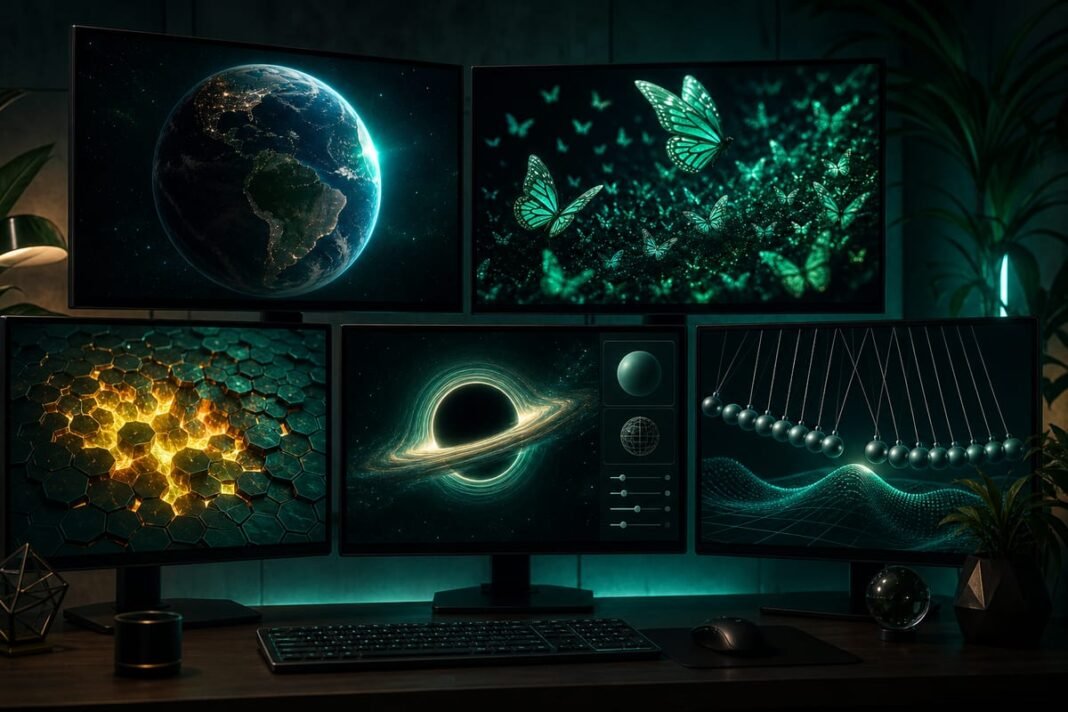
With Gemini 4 Neon, 5 creators created graphic projects, including a luminous Earth and a 3D pendulum wave simulation.
How to access Gemini 4 Neon
For developers, access is based on the paid offer of the Gemini API, usable from Google AI Studio or Android Studio. A Google AI Pro or Ultra subscription allows you to try Neon from Google Antigravity, but also in AI Studio. In the Gemini app, these subscribers can also choose the model using the selection menu.
Enterprise teams have access in Gemini for Business, either via API or by choosing the template from the menu. They can also use Google Antigravity.
The evening letterFree · 7 p.m.
Are you following the race for AI models?
Each output (GPT, Claude, Gemini, Mistral, etc.) decrypted the same evening, in 5 minutes. Free.
Included upon registration: our selection of the best AI guides & comparisons.
Choose your pace
Free · No spam · Unsubscribe in 1 click
A tunable black hole and a pendulum wave
At @kimmonismus, Neon was used to program a shader in Google Antigravity representing an interactive 3D black hole. The result suggests changing your point of view and adjusting the distortion with sliders. @goodhunt, for his part, used Neon to code a 3D pendulum wave simulation: the periods of the spheres produce animated interference figures.
A bright Earth, butterflies and a flame
For his luminous representation of the globe, @HarshithLucky3 retained a high level of reflection in Google Antigravity. In the same environment, @thtbee_ chose a very high level to create butterflies with Three.js.
@anicho used the /swarm command with Neon, also in Google Antigravity. In less than five minutes, this creator obtained a shader intended for the web, representing a luminous hexagonal flame with which it is possible to interact.