Here is a proposed article inspired by the ZDNET style, at once accessible, practical and tech-savvy.
Retro games: 3 ways to play them again without taking the old console out of the closet
You’re itching for pixel art and 16-bit soundtracks, but your old Mega Drive or PlayStation 1 is gathering dust at the bottom of a box, tangled cables included? Good news: there is no need to delve back into the archeology of the living room to rediscover the sensations of your childhood. Here are three simple and effective ways to revive your favorite arcade and parlor games on your modern devices.
Ah, the sweet sound of loading a game on a floppy disk, the cartridge that had to be blown (wrongly), or the inimitable design of the controllers of yesteryear. Retrogaming is on the rise. However, between the rarity of the original hardware, the fragility of the components and the difficulty of connecting SCART consoles to 4K televisions equipped with HDMI ports, the experience can quickly turn into an obstacle course.
Fortunately, modern technology offers much more comfortable alternatives. No more hunting around on LeBonCoin or risking a breakdown: here’s how to dive back into your memories in just a few clicks.
1. Emulation on PC, Mac or mobile: the best (and often free) solution
Emulation involves software imitating the hardware of an old console on a computer, smartphone or tablet. This is the most powerful and flexible method.
- How does it work? You download software called an “emulator” (machine-specific, like Dolphin for the GameCube, or DuckStation for the PS1) or an all-in-one interface like RetroArchwhich brings together dozens of consoles. You then need to recover the “ROMs” (the digital files of the games).
- The advantages: The image quality is often improved (HD filtering, optional 16/9 display), you can save your game anywhere (the famous save states), and cheat a little if a boss blocks you since 1995. In addition, most emulators accept modern Bluetooth controllers (Xbox, PlayStation, or retro replicas).
- The downside: Downloading game ROMs still protected by copyright flirts with legality, even if the community largely tolerates titles from publishers that have disappeared.
2. Official “Plug & Play” consoles: turnkey nostalgia
Do you prefer plug-and-burn without IT configuration? Manufacturers have understood this well and are flooding the market with miniature reissues of their cult machines.
- How does it work? Devices like the NES Classic Minithere Mega Drive Minithere PlayStation Classic or, more recently, theAtari 2600+ connect directly via HDMI to your modern television. They are powered by a simple USB cable and include a selection of 20 to 60 games preloaded in memory.
- The advantages: It’s legal, official, and the item often looks great on a TV stand thanks to a careful design (often an exact 1:4 scale replica). The controllers provided provide immediate realism and the user interface is designed to be accessible to everyone.
- The downside: The games list is closed. Unless you tinker with the console (which some geeks do, but which involves risks), it is impossible to add titles that were not originally pre-installed.
3. Retro portable consoles under Linux/Android: pocket retrogaming
This is the big trend of recent years on the high-tech market. Chinese brands (Anbernic, Retroid, PowKiddy) offer portable machines dedicated exclusively to retro gaming, generally sold between 50 and 150 euros.
- How does it work? These small boxes are reminiscent of the shape of a Game Boy or a PS Vita. They integrate an optimized operating system (often based on Linux) and run on chips capable of emulating without flinching everything from the Atari 2600 to the PlayStation 1, even the PSP or the Dreamcast for the most robust models. Just insert a MicroSD card full of your favorite games.
- The advantages: The ergonomics are perfect for portable gaming. The screen is generally of very good quality (often IPS, sometimes OLED), the battery offers several hours of autonomy, and the object slips easily into a pocket for playing on the train or in bed.
- The downside: You have to get your hands a little dirty to configure the SD card, sort the games and add the covers if you want a polished visual interface.
In summary
If you are looking absolute simplicityturn to the official mini consoles. If you want maximum choice and performance on your big screen, emulation on PC remains unbeatable. Finally, for nomads looking for a dedicated consoleTHE chinese portable machines offer stunning value for money. It’s up to you to choose your time machine!
Here is a rewritten and optimized version of the content, with clean HTML formatting, a more fluid and impactful style, while retaining the spirit of the original article.
Why I gave up on physical console retro gaming (and what I replaced it with)
To remember
- The aging of electronic components makes retro consoles increasingly difficult to repair and keep alive.
- Troubleshooting these machines requires a considerable investment of time and money, even for experienced enthusiasts.
- Fortunately, cloud gaming services, virtual consoles and emulation offer modern and accessible alternatives to enjoying the classics.
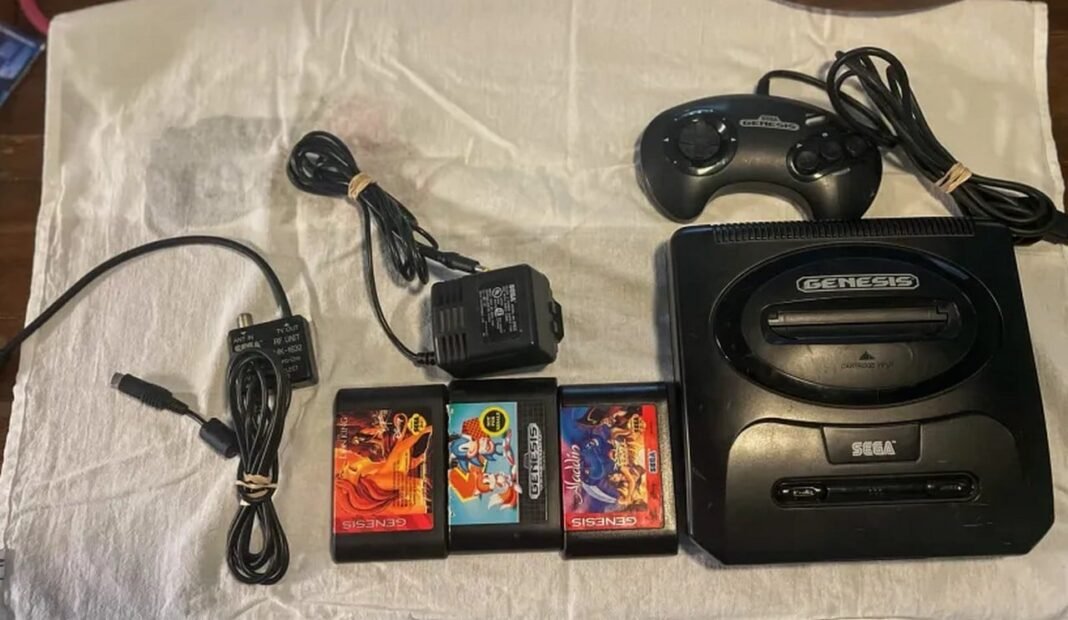
I recently purchased an old Sega Genesis from GameStop. It seemed in perfect condition, and I could already see myself diving back into the first Sonic after some minor repairs. A shot of spray for electronic components, a quick preventative solder on the printed circuit to avoid unpleasant surprises... and the problems began.
Converting an analog video signal to digital is an obstacle course. Already complex in the early 2000s – when I was re-typing consoles to make ends meet – it has become mission impossible today. Good old RF-HDMI converter boxes have become unobtainable, the underlying technology being completely obsolete.
Despite careful cleaning with isopropyl alcohol and a complete overhaul of the solders, it was impossible to obtain a correct audio or video signal from my Genesis. Result: a deafening buzz and totally distorted images.
After a month of trouble and 300 dollars wasted, the verdict was in: the processor was dead. Unrepairable.

Sega Genesis printed circuit board — Credits: Taylor Clemons/ZDNET
Running vintage hardware on modern screens and TVs is a real headache. After defending physical preservation for decades, I finally threw in the towel to go all-digital. For the love of my free time and my mental health! Fortunately, there are excellent solutions for enjoying these nuggets on recent equipment. Here are my three favorite alternatives.
How to play retro games on modern hardware
1. Nintendo Switch Online

Playing classics has never been easier. — Credits: Taylor Clemons/ZDNET
Whether you own the original Nintendo Switch or the new model, the subscription Nintendo Switch Online provides access to a gigantic and regularly updated retro library. The basic plan includes the NES, SNES and Game Boy catalogs, in addition to exclusive discounts on the eShop.
For the most nostalgic, the offer Expansion Pack unlocks the Nintendo 64, Game Boy Advance and Sega Genesis libraries, as well as exclusive content like the GameCube game library on the new console.

Nintendo/ZDNET
New titles arrive several times a year, offering an excellent excuse to relaunch your console. And if you play with family, the family subscription allows you to share access between 8 different accounts.
2. PlayStation Plus Premium

PS Plus Premium allows you to stream PS1, PS2 and PS3 games. — Credits: Sony/PlayStation/ZDNET
I hesitated for a long time before subscribing to PlayStation Plus. Today I regret not having done it sooner. Even if you physically own all of the PlayStation consoles, plugging them in and installing them is a chore. Thanks to the formula PS Plus Premiumit only takes a few clicks to stream classics from the PS1, PS2 and PS3, not forgetting the Ubisoft+ Classics catalog.
Certainly, the selection is less exhaustive than at Nintendo, but it is full of ideal nuggets for the weekend. The subscription includes valuable bonus benefits, such as trials of recent games and exclusive discounts.
3. Emulation: a safe bet

ROMs allow you to resurrect any game, although sometimes you have to dig around to find the documentation. — Credits: Taylor Clemons/ZDNET
Emulation operates in a legal gray area, with intellectual property laws struggling to accommodate games abandoned by their original creators following bankruptcies or buyouts. However, platforms like MyAbandonware.com strive to preserve this digital heritage in exactly the same way as cinema or literature.
These sites often give games a second lease of life thanks to the work of the communities (new translations, bug fixes, improved texture packs), guaranteeing a smooth experience on our modern bikes.
The choice of emulators is vast, but my favorites remain People 2.14 for the Sega Genesis and PCSX2 for the PlayStation 2. The first is installed in the blink of an eye: you unzip it, you store your ROMs in a dedicated folder, and that's it.
The second requires a little more technicality, since it requires extracting the BIOS from a real PS2 to launch the games legitimately. The manipulation (which consists of using a USB key formatted in FAT32 and a utility like biosdrain) may seem tedious, but it offers an ideal legal framework by creating a personal backup copy of your own material.